Blender has been successfully running in the animation industry, used by a large number of experts to create real-life characters for movies, TV, and video games. One of the biggest reasons Blender is so powerful is its add-ons. The Blender community constantly breaks its own records by releasing new and amazing add-ons to make the software even more capable. Add-ons are third-party files that install inside Blender to maximize and enhance your workflow, solve common issues, and save a lot of time for artists.
Botaniq Best Blender Addon for Tree Modeling
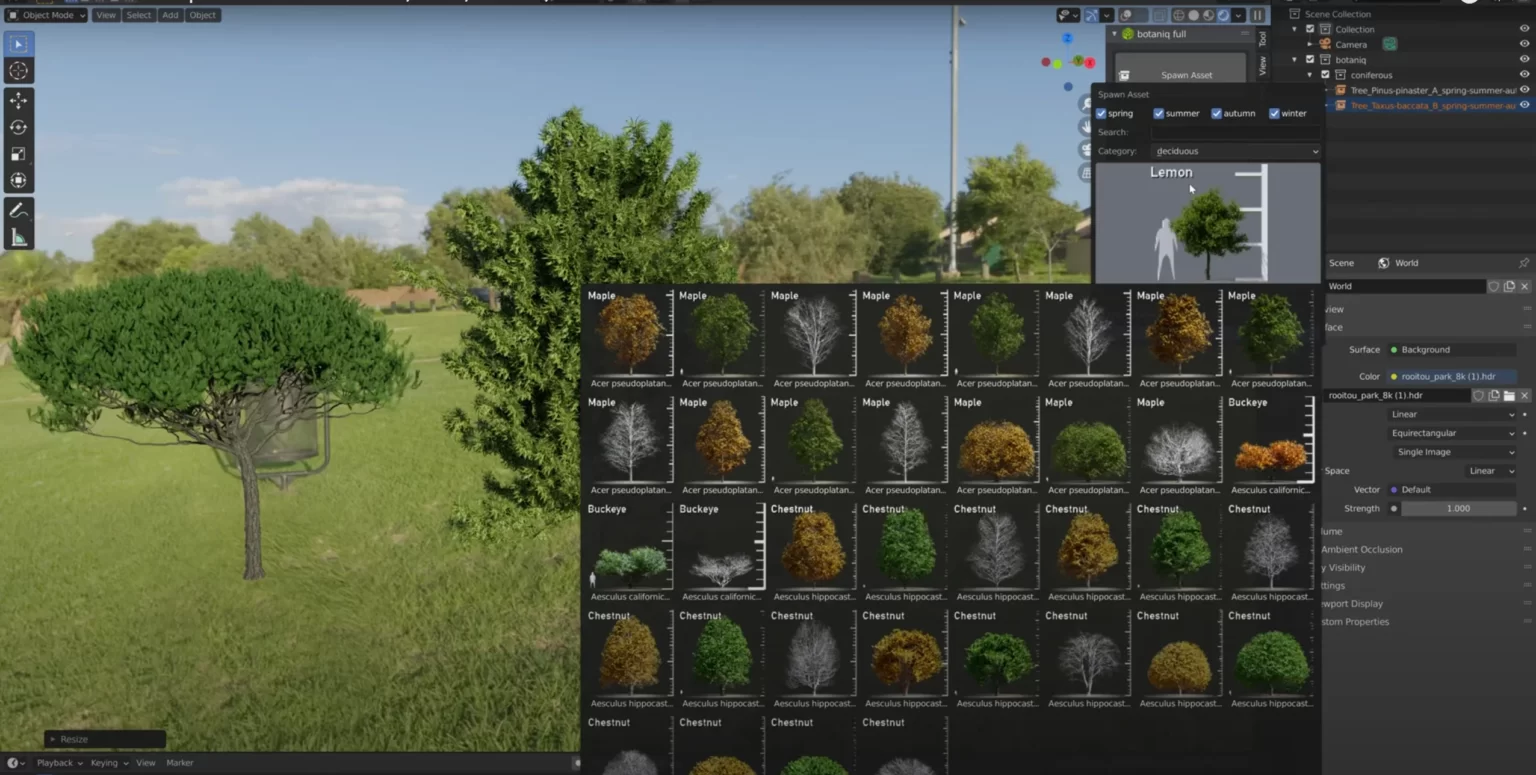
This article covers one of the most requested and used add-ons for tree modeling in Blender: the Botaniq addon, also known as the easiest 3D garden generator for beginners. We will go through its features, how it works, and its full library in detail.
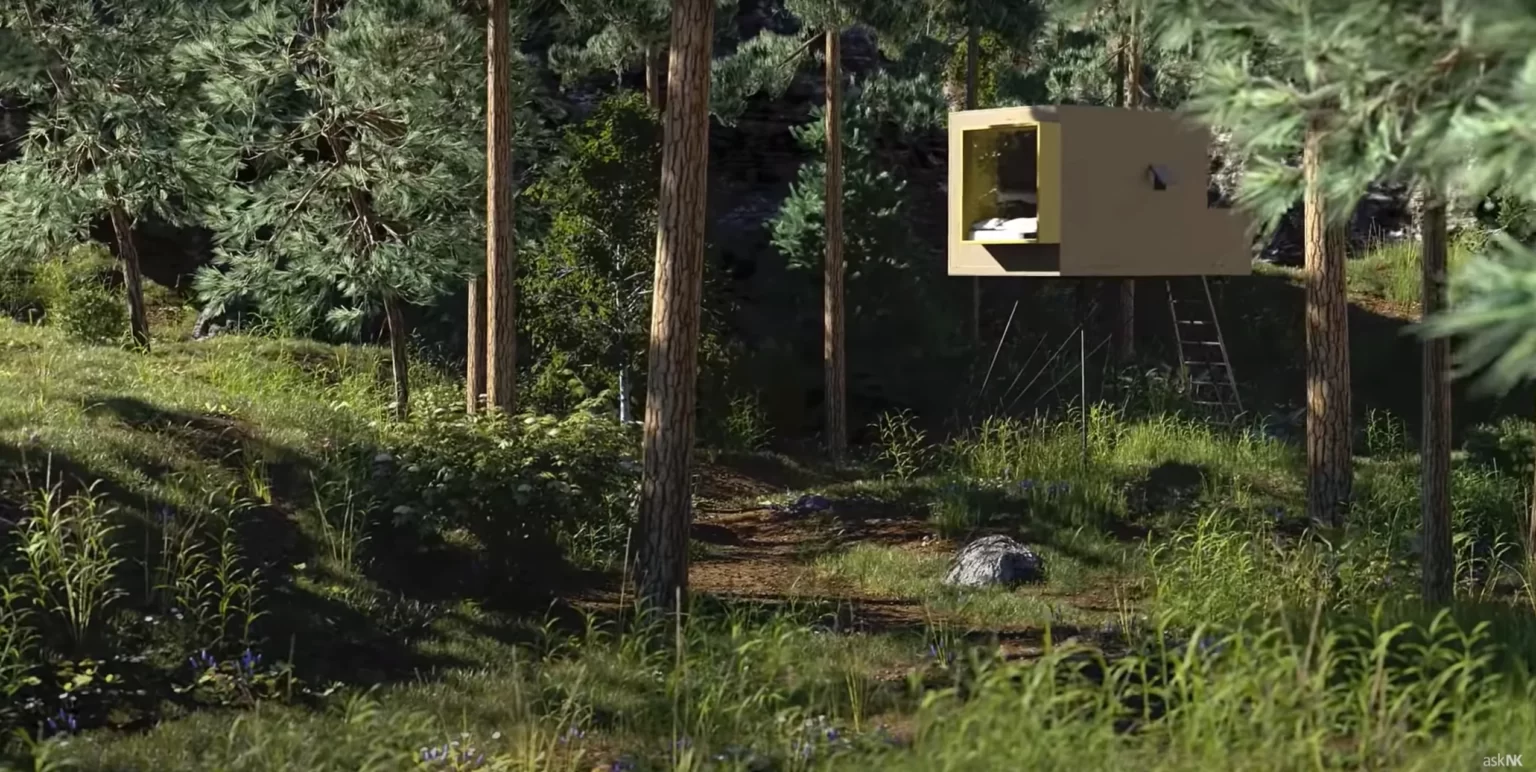
Creating characters in Blender may not take too much effort after you get started, but when it comes to environment modeling it becomes a real challenge. Modeling realistic trees, grass, flowers, palms, shrubs, and plants is a difficult task, but it can be a game-changer in your animations and renders. As experts suggest, adding realistic greenery makes your 3D art far more believable. Botaniq helps you achieve that, even as a complete beginner.
Botaniq is a great and constantly expanding library for nature assets. It supports both EEVEE and Cycles, so you choose your render engine and the asset appears directly in your viewport. After placing a model, the addon also helps you animate that specific tree. You can draw different vines and customize them to fit your scene requirements.
What Can You Do with Botaniq?
Each asset in Botaniq has a farming view that makes it easy to place in your scene. You can also create your own custom trees with just a few clicks from the library, and duplicate models using the snap-to-ground button. To avoid a fake look and speed up your workflow, the addon includes randomized scales and rotation for selected areas.
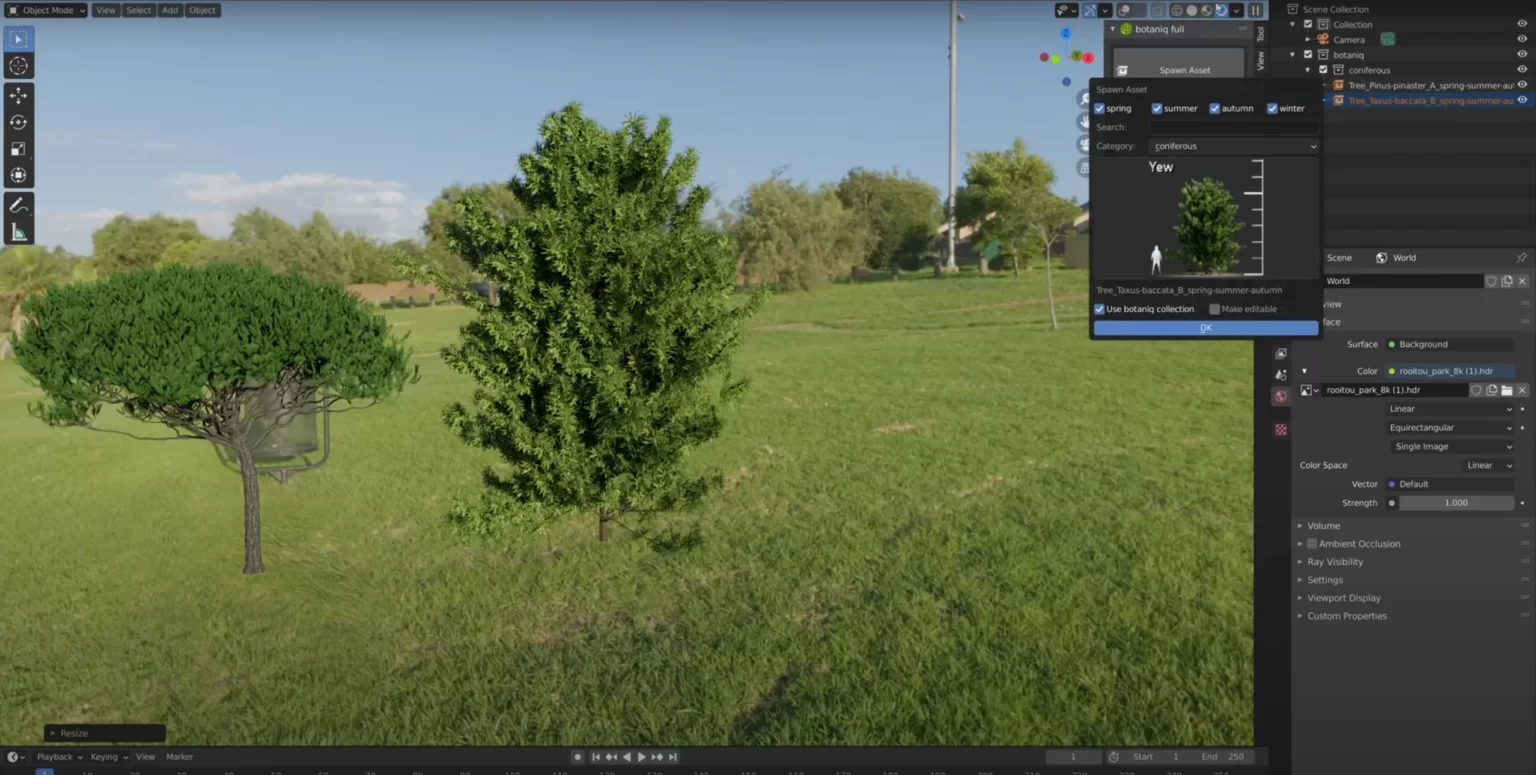
The addon is the perfect balance between performance and quality for creating green environments in Blender. It solves very complex issues with minimal effort. With just a few clicks you can add rich assets to your scenes from the following categories:
- Dead Leaves
- Conifers
- Deciduous
- Grass
- Flowers
- Plants
- Shrubs
- Tropical
- Weed
- Succulents
- Pots
Botaniq is beneficial for everyone whether you have little or no knowledge about modeling, you can create vegetation and other assets quickly. All you have to do is install the latest version and enable it inside Blender.
This was everything you need to know about the Botaniq tree modeling addon. It has been my go-to option for adding nature to projects in a short amount of time. Your art will look completely different after adding Botaniq to your toolkit.
How to Use Botaniq: A Practical Workflow
Getting started with Botaniq is faster than most addons because the library browser is designed to let you place assets immediately. Here is the workflow from installation to a finished environment shot.
After installing and enabling Botaniq, you will find its panel in the N-panel (sidebar) of the 3D viewport. Click the Botaniq tab and you will see the full asset library organised by category: Trees, Shrubs, Ground Cover, Flowers, Palms, Vines, and more. Each category contains dozens of individual assets with preview thumbnails.
Click any asset and it places into your scene at the 3D cursor location. From there, the Farming View panel appears. This is where you adjust the randomised scale and rotation — small variations in tree scale and rotation immediately make a forest scene look natural rather than copy-pasted. The addon applies these randomisations procedurally, so each instance looks slightly different even when duplicating.
Use the Snap-to-Ground button to drop your trees onto the terrain surface automatically. If you are building a landscape scene this alone saves significant time compared to manually aligning each object. Select multiple tree instances, click Snap-to-Ground, and they all settle onto the terrain correctly.
For vine and creeping plant assets, Botaniq includes a draw mode where you trace a path on a surface and the vine follows it. This works well on wall surfaces, tree trunks, and architecture. The vine automatically conforms to the surface normal as it follows the path you draw.
Botaniq Performance: EEVEE vs Cycles
One of the most important practical questions with any large asset library is performance. Botanical scenes with dozens of trees and hundreds of ground cover objects can become very slow to render if the geometry is not managed carefully. Botaniq addresses this through a few specific design choices.
All Botaniq assets use Blender's object instancing by default. When you place ten trees of the same species, you are not creating ten separate objects with ten separate mesh data blocks. You are creating ten instances of one mesh, which takes dramatically less memory. A scene with 200 tree instances uses roughly the same memory as a scene with 5 if all 200 are the same species. This is why Botaniq scenes stay manageable even at scale.
In EEVEE, Botaniq assets render quickly because EEVEE handles instanced geometry efficiently. You can place a dense forest and still get real-time viewport previews. The leaf shaders are optimised for EEVEE's light probe system so you get plausible subsurface lighting on foliage without the computational cost of true volumetric scattering.
In Cycles, the same instancing benefits apply but rendering times are longer because Cycles traces every light ray through the foliage geometry accurately. Dense canopy scenes can take time in Cycles. The practical approach is to use the Low-Poly versions of Botaniq assets (which the library includes) for background trees, and Full-resolution assets only for hero trees in the foreground. This mixed-resolution approach keeps Cycles render times reasonable without sacrificing visual quality on the trees that matter most.
For GPU rendering (CUDA or Metal), make sure your VRAM can accommodate the combined texture set. Botaniq textures are high quality and large. If you run out of VRAM Cycles will fall back to CPU rendering, which is significantly slower. Monitor VRAM usage with the Render > Statistics overlay during test renders to catch this before you commit to a final render.
Building a Complete Environment Scene with Botaniq
Environmental storytelling in 3D depends heavily on how natural the vegetation looks. Here is a practical approach to building a convincing outdoor scene using Botaniq as the primary vegetation tool.
Start with your terrain. Whether that is a sculpted landscape, a procedurally generated terrain, or a simple plane with a displacement modifier, the ground needs to exist before you place vegetation. Botaniq's snap-to-ground function needs geometry to snap to.
Layer your vegetation from large to small. Place the largest trees first — they define the scale and silhouette of the scene. Use Botaniq's randomise tool to vary their scale by 20 to 30 percent and rotation by a full 360 degrees. No two trees in nature are the same size or orientation. Next add mid-height shrubs in the undergrowth areas. Then ground cover — grass, small flowers, fallen leaves. This layered approach mirrors how real ecosystems are structured and produces the most believable result.
Use particle systems for very dense ground cover rather than placing individual objects. Botaniq assets work as particle system instances. Create a grass particle system on your terrain plane, assign a Botaniq grass asset as the particle object, and scatter hundreds or thousands of instances procedurally. This is far more efficient than placing each one manually and gives you artistic controls like density maps to control where grass grows densely versus sparsely.
Add the animated wind effect from Botaniq for final renders. The wind system animates foliage movement procedurally — leaves sway, branches flex, grass bends. The animation speed and strength are adjustable so you can get anything from a still calm day to a windy storm atmosphere. Even subtle wind motion adds enormous life to a vegetation scene compared to perfectly static trees.
Frequently Asked Questions
Does Botaniq work with Blender's geometry nodes scatter tools?
Yes. Botaniq assets are standard Blender mesh objects, which means they work as inputs to geometry nodes scatter setups. You can use the Distribute Points on Faces node combined with Instance on Points to scatter Botaniq trees procedurally across a terrain surface. This gives you more precise control over density, spacing, and variation than the built-in Botaniq placement tools alone.
Can I use Botaniq assets in commercial projects?
Botaniq is available under a commercial licence. Assets can be used in renders, animations, and games for commercial purposes. Check the current licence terms on the Botaniq product page for specifics, as licence terms can be updated between versions. The general rule is that you cannot resell the raw assets but you can use them in any rendered output or real-time project you sell.
How large is the Botaniq library download?
The full Botaniq library is several gigabytes because of the high-resolution texture sets. If you are on a limited connection or have restricted storage, you can download category packs individually — just trees, just flowers, and so on — rather than the entire library at once. Most users start with Trees and Shrubs and add other packs as needed.
Does Botaniq include assets for seasons other than summer?
Yes. Several tree species in the library include seasonal variants: spring blossom, summer full foliage, autumn colour change, and bare winter branches. Switching between seasonal states is done in the Botaniq panel. For animation projects that need to show seasonal change, you can key the seasonal state change or cross-fade between seasonal variants using Blender's shader mix nodes.
Get Botaniq and start building stunning natural environments in Blender.